Best medical website templates for dermatology clinics
Seven medical website templates built for dermatology and skin clinics, what each is good for, and how to choose.
A medical website template is a ready-made website you copy, fill in with your own words and photos, and publish yourself. For a dermatology clinic it can be the fastest way to a professional website: no designer, no long build, and a cost closer to a dinner out than an agency invoice.
The catch is that most medical website templates are made for general clinics or dentists. A dermatology website has its own jobs: show medical, surgical and cosmetic care side by side, explain common skin conditions, and make booking, the patient portal and bill pay easy to find. We looked at medical website templates built for dermatology and skin clinics and picked seven worth a look. Prices and details are what each listing showed in November 2026.
We made the first two, Corium and Lumin Clinic, so we've said so below. The rest are by other designers.
1. Corium
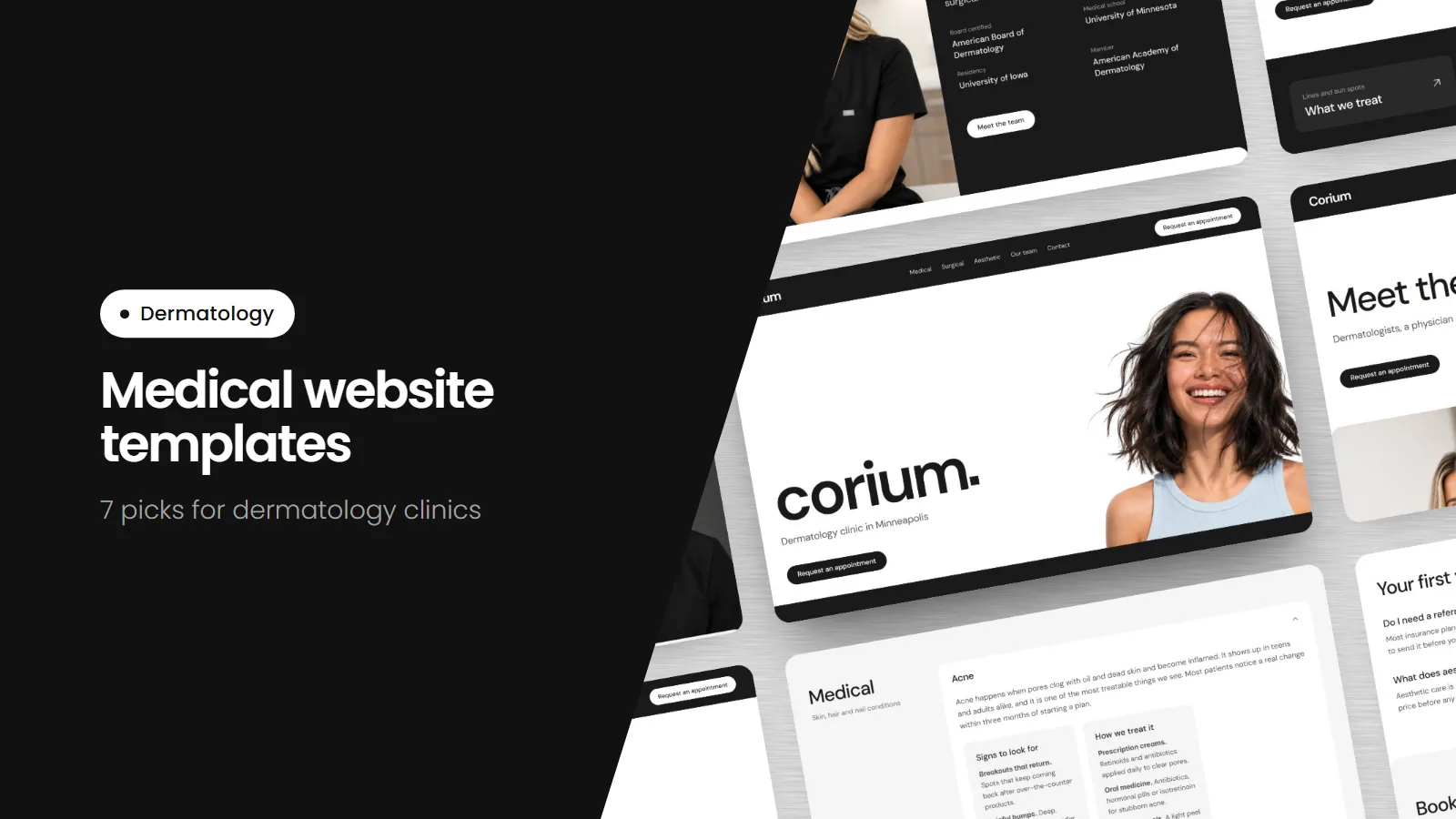
Framer, $75. A clean black-and-white template for dermatology clinics, skin clinics and med spas. The clinic name sits large at the top, a Request an appointment button is on every page, and the home page splits care into Medical, Surgical and Aesthetic. It has 10 pages, including a Conditions page where twelve skin concerns open to show the signs to look for and how each is treated, an Our team page and a Contact page with a map and each location's hours. Privacy, Accessibility and Nondiscrimination pages come ready to edit.
Good for: a single or two-location practice that wants a calm, modern website patients can book from on their phone. Made by us.
See the Corium demo · Get Corium on Framer
2. Lumin Clinic
Framer, $75. A dark, warm template for dermatology practices with more than one location. A top bar shows hours with links to the patient portal, bill pay and patient forms, and the home page opens with three quick links: book a visit, find a clinic and patient portal. It has 11 pages, including Medical, Surgical and Aesthetic pages with each one's providers, a Conditions page, patient reviews, and Privacy, Notice of Privacy Practices, Accessibility and Language Help pages.
Good for: a practice with several clinics and a full care team. Made by us.
See the Lumin Clinic demo · Get Lumin Clinic
3. Laurel
Framer, $59. Billed as a modern dermatology template, with a clean editorial look and plenty of white space. Treatments and services are set up in Framer's CMS, so you add a new treatment by filling in a form instead of building a new section.
Good for: a practice with a long treatment menu that changes often.
See the Laurel demo · Laurel on Framer
4. Dermato
Framer, free. Made for dermatology and medical aesthetics clinics, with soft tones and a single home page: a hero, an introduction to the lead doctor, treatments in a grid, patient reviews, questions and an appointment form. It also comes as a Webflow template and a Figma file.
Good for: trying a template at no cost, or a one-page website while you plan a bigger one. Before you use the appointment form, read our note on patient forms and HIPAA.
See the Dermato demo · Dermato on Framer
5. Epidermis
Framer, $59. Soft and elegant, for skincare clinics, dermatology studios and aesthetic brands. The page is built as a path to booking: treatments, the clinic's expertise, patient care, client stories and a clear way to book at the end.
Good for: a cosmetic-first practice that sells an experience as much as a treatment.
See the Epidermis demo · Epidermis on Framer
6. Althea
Framer, $129. A calm template for aesthetic clinics, skin care specialists and wellness practices. It includes a journal for articles, patient testimonials kept in the CMS, eight custom components and a built-in help section that explains what to edit and where.
Good for: a practice that plans to publish articles and wants step-by-step help inside the editor.
See the Althea demo · Althea on Framer
7. PU.RE Dermatology Clinic
Wix, $64. The one pick here that isn't built in Framer. It comes with service pages for treatments like acne care and anti-aging, a staff section, testimonials, a blog, questions and a booking page. Some features rely on Wix apps that cost extra.
Good for: a practice that already uses Wix or wants Wix's built-in booking. As with any booking form, check what patient information it collects.
How to choose a dermatology website template
- Medical, surgical and cosmetic care. Patients should be able to find their concern in a few seconds, whichever kind of care it is.
- Booking on every page. The book button should link to the booking system or patient portal you already use.
- Phone first. Most patients will visit on a phone, so open the demo on yours before you buy.
- Room for your team. Patients want to see who will treat them, with names and credentials.
- Privacy pages. A privacy policy and accessibility page are easier to fill in than to write from scratch.
- No patient forms you can't protect. Link out to your portal for intake instead of collecting health details on the website.
Template or built for you?
A template works well if you're comfortable changing words and photos yourself and want a website this week. If you'd rather hand it off, we build dermatology websites for you, including from Corium and Lumin Clinic. See our dermatology website design.